Building Studio Library
An interface for the images, audio, and video accumulating around our local model experiments.
We were testing a bunch of local multimedia models, generating images, audio, and video across several rounds of experiments. When I came back to look at the results, I had trouble finding what was new and finding things I’d liked earlier. We had the ability to make all this material, and I wanted a better interface for looking through it.
So I described the interface I wanted to a coding agent and pointed it toward the Wild Pines website and other assets we already had to seed the design. That became Studio Library, a local application for browsing and reviewing the media our experiments produce.
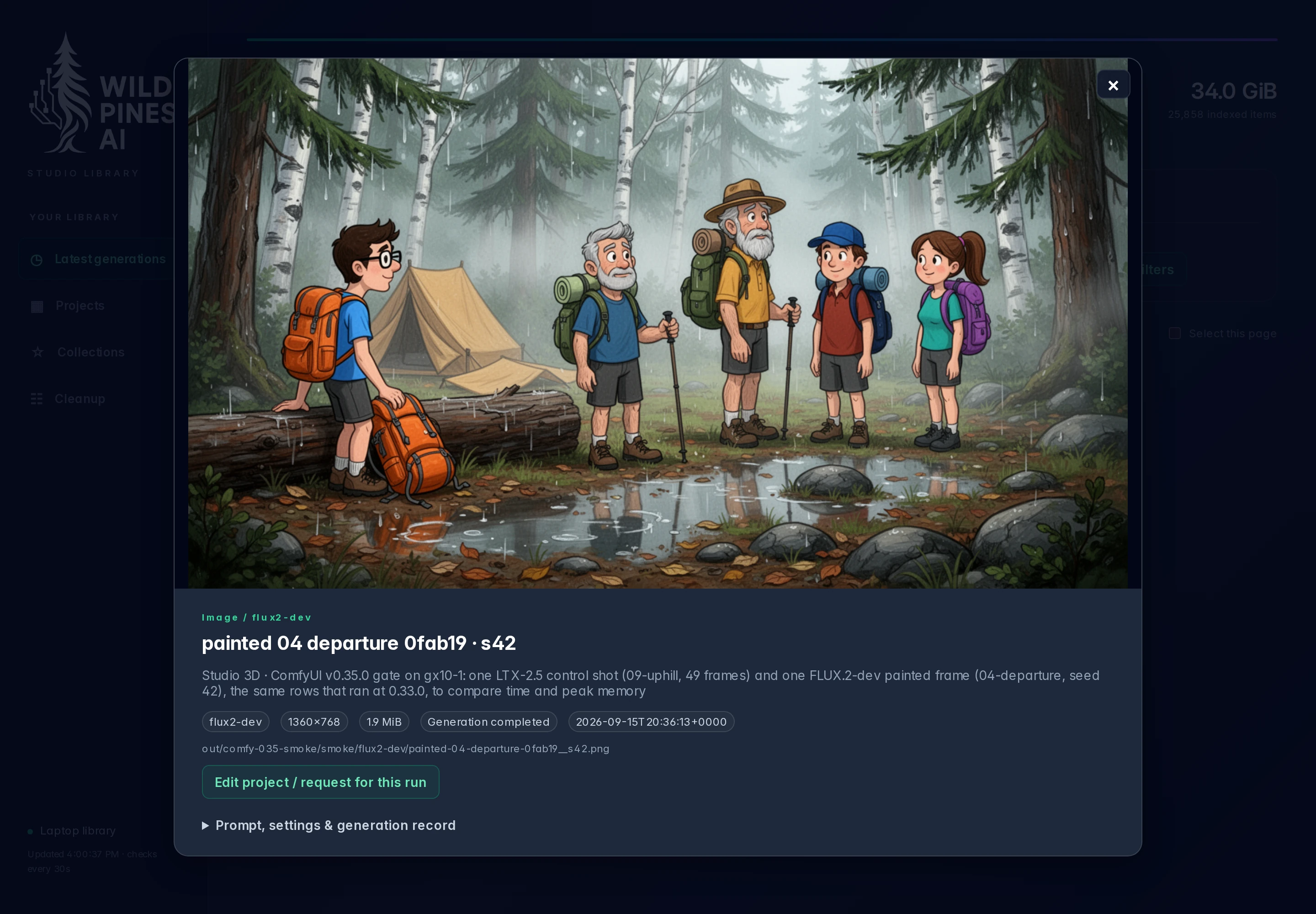
This is a part of building with agents that I enjoy: the tools around the work can become things we build, too. I could describe how I wanted to get at the output, give the agent a visual starting point, and work on the interface alongside the experiments that made it necessary.
Giving the output an interface
The Library came together on September 8. It looks for existing images, audio, and video in the background and brings them into a common view. New generations appear as they’re indexed. The files stay where they were created, so browsing them doesn’t require another round of copying everything into a separate library folder.
That gave us something concrete to refine. Most of what I’ve asked to change so far has been search and organization. Coming back after a few rounds of generation is a different activity from watching a single result arrive. I need to narrow the work down enough to see what I came back for.
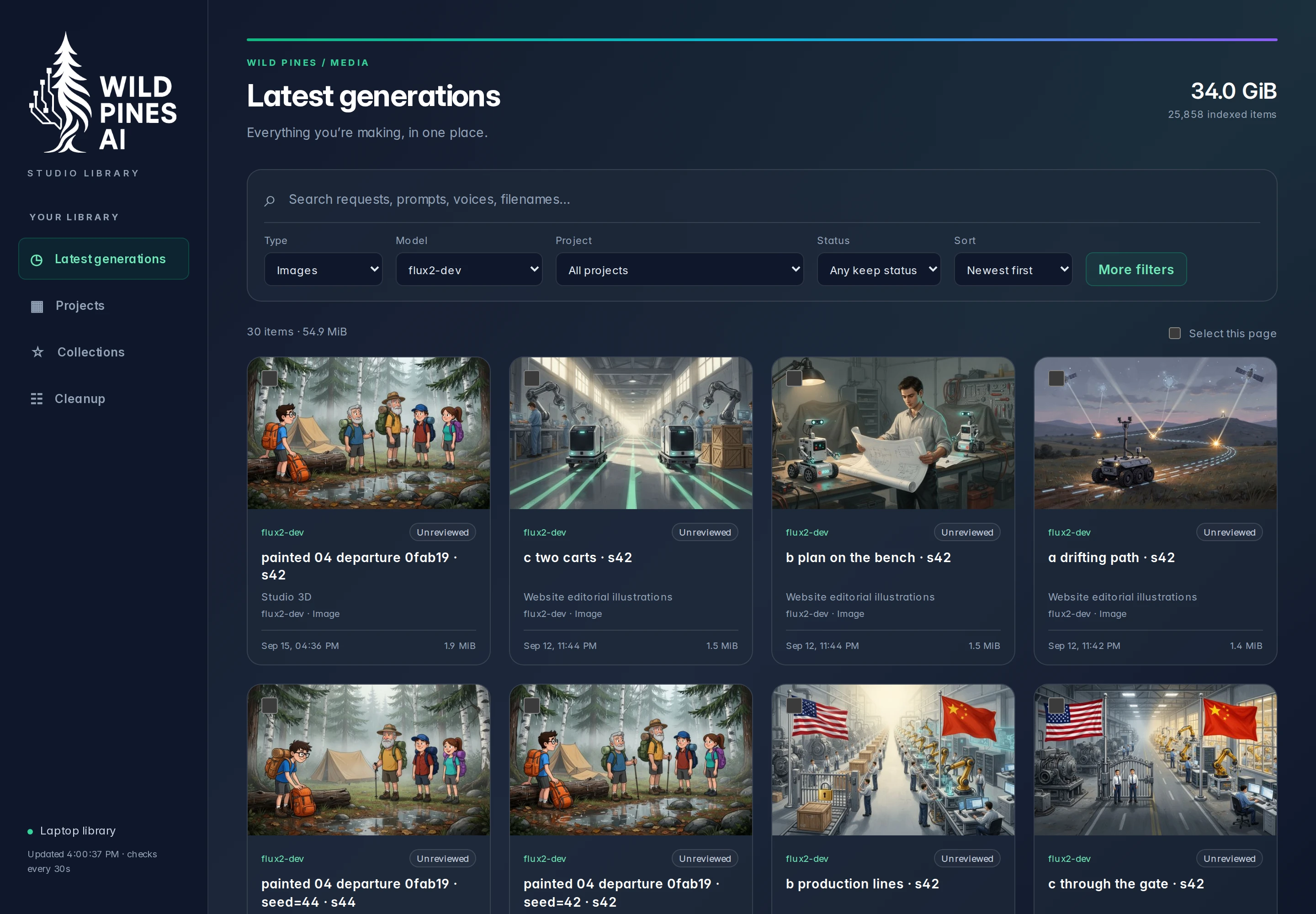
The interface lets me filter by media type, model, project, and date. Those are useful ways into the same set of files: I can look at recent video output, for example, or narrow the view to a particular model. Opening an item gives me a preview alongside its source prompt and settings when those were recorded.
That context matters in an experiment. A result is more useful when I can connect it to what we asked for and how we generated it. Some older files have incomplete records, and the Library leaves those gaps visible. Putting a file into a nicer interface doesn’t give us information we never saved.
The design had a starting point as well. I’d sent the agent toward our existing website and assets, and the Library adopted the Wild Pines styling. The result was an interface that belonged with the other things we were building. My requests could stay focused on how I wanted to browse and organize the work, with the existing design supplying a reference.
Choosing something to use
My actual selection process is still pretty informal. Typically, I tell the coding agent which generation I like in the window where we’re working, have it use that asset, and don’t do much else with it afterward. Most of this work has been one-offs and investigations so far.
The Library has room for more organization than that. A person can mark an item Keep, Temporary, or Unreviewed, and put related assets into a collection. Collections refer to the original files without making more copies. Those controls are available, but they haven’t become a regular cataloging routine for me yet.
There’s a useful distinction here between making the material available for review and deciding what deserves to be used. The Library can gather files and their recorded context without waiting for me. Choosing a generation still comes from me, and today that choice often goes straight back into the conversation with the agent.
The cleanup behavior follows that distinction, too. Marking a file Temporary doesn’t schedule its removal. Deletion is an explicit manual action, with protections for kept files and unfinished work. The software can enforce those rules without deciding whether an image, recording, or clip is any good.
That gives a concrete answer to how much of this workflow should stay with a person. In our current process, I want to see the candidates and choose what we use. Gathering them, making them searchable, and keeping their context close are things the software can handle around that decision. Even when the selection is just a message to the agent, there is useful work to automate before I get there.
Growing into the work
We’re gradually integrating these multimedia capabilities into real work. As we use more assets and do more complex projects, the way we organize and select them will evolve. The Library already gives us a place to develop that process, but I wouldn’t describe our current use as a mature media production workflow.
For someone considering workflow automation, that stage is worth paying attention to. The first useful build can come from something specific that has become awkward in work you’re already doing. Here, it was coming back to generations and trying to find what was new or worth another look. That was enough to describe an interface and start refining it.
The next requirements can come from using more of the output. If a project needs a collection of related assets, we have a way to group them. If we start returning to the same material regularly, recording our selections will become more useful. For now, I’m still experimenting, choosing things with the agent, and building out the tools that let those experiments become part of the work.